Managed vs Unmanaged Switch: Which One Does Your Small Business Need?
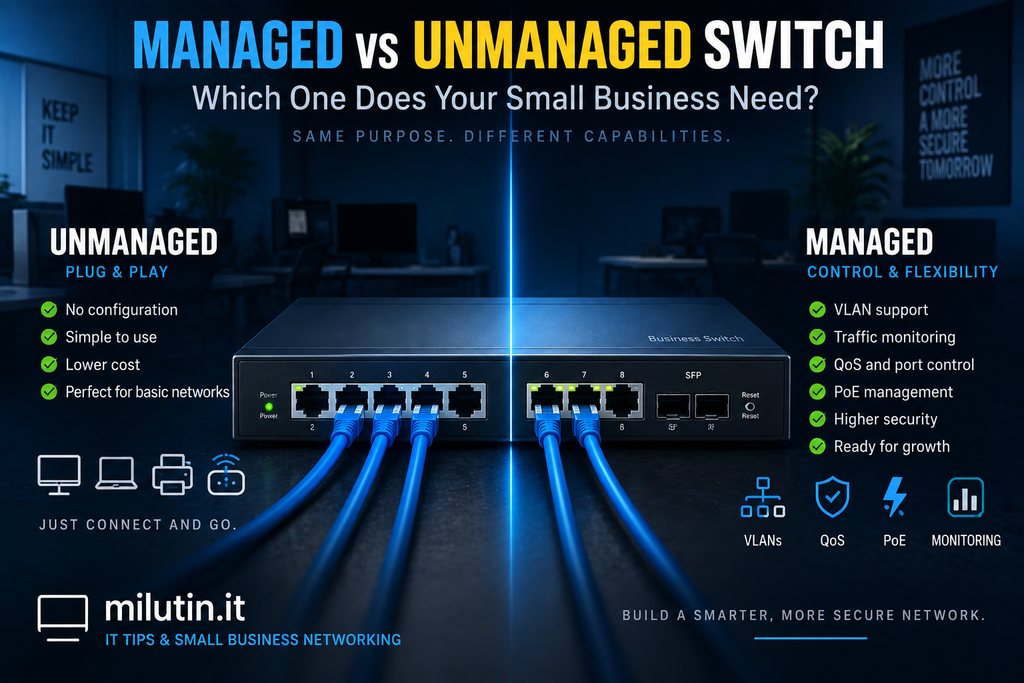
If your office has more wired devices than your router has Ethernet ports, sooner or later you’re going to need a network switch.
But when you start shopping for one, you’ll quickly encounter two categories:
Managed switches and unmanaged switches.
An unmanaged switch is cheaper and extremely simple to use. A managed switch costs more and requires some configuration, but gives you much more control over your network.
So which one does a small business actually need?
For a tiny office, an unmanaged switch might be perfectly adequate. But once you introduce VLANs, multiple Wi-Fi networks, security cameras, VoIP phones, or other business infrastructure, a managed switch starts making much more sense.
Let’s look at the difference.
What Does a Network Switch Do?
A network switch connects devices on your local network.
Your router might have four Ethernet ports, but an office could easily have:
- 10 computers
- 2 printers
- 3 Wi-Fi access points
- 6 IP cameras
- 5 VoIP phones
- A NAS or server
You obviously can’t connect all of those directly to the router.
That’s where the switch comes in.
You connect the switch to your router or firewall, and the switch provides additional Ethernet ports for the rest of your network.
For example:
Internet → Router/Firewall → Switch → Computers, APs, Phones, Cameras
Both managed and unmanaged switches perform this basic function.
The difference is how much control they give you over the traffic passing through them.
What Is an Unmanaged Switch?
An unmanaged switch is essentially plug and play.
Connect power, connect your Ethernet cables, and it starts working.
There is usually no configuration interface, no management software, and very little you can change.
For a simple network, that’s actually an advantage.
Imagine a small office with:
- 4 computers
- 1 network printer
- 1 Wi-Fi access point
If all of these devices belong on the same network, an unmanaged switch may be all you need.
You don’t have to configure anything.
Plug everything in and get back to work.
What Is a Managed Switch?
A managed switch performs the same basic job but gives the administrator control over how the network operates.
Depending on the model, you can configure things such as:
- VLANs
- Port settings
- Traffic monitoring
- Link aggregation
- Spanning Tree Protocol
- Quality of Service (QoS)
- Port security
- PoE settings
- Traffic statistics
You normally manage the switch through a web interface, command line, controller, or centralized network management platform.
For a business network, these capabilities can become extremely useful.
The Biggest Difference: VLANs
For many small businesses, VLAN support is the most important reason to choose a managed switch.
VLANs allow you to divide one physical network into multiple logical networks.
For example:
VLAN 10 – Employees
VLAN 20 – Guest Wi-Fi
VLAN 30 – IoT Devices
VLAN 40 – Security Cameras
The same physical switch can carry traffic for all four networks while keeping them logically separated.
An employee computer connected to port 1 could belong to VLAN 10, while a security camera connected to port 12 belongs to VLAN 40.
A connection to a Wi-Fi access point could carry several VLANs simultaneously.
This isn’t something a basic unmanaged switch is designed to configure.
If you’re planning to use VLANs, a managed switch is usually the right choice.
Security
Managed switches can also contribute to better network security.
Suppose your office has employee computers, cameras, guest Wi-Fi, and smart devices.
With an unmanaged network, everything may end up sitting on the same LAN.
That means a poorly secured camera or IoT device could potentially communicate with devices it has no reason to access.
A managed switch combined with VLANs and proper firewall rules allows you to separate those systems.
For example:
Guests can access the internet but not office computers.
Cameras can communicate with the NVR but not employee laptops.
IoT devices can access necessary internet services without having unrestricted access to the business network.
The switch itself isn’t replacing your firewall, but it gives you the infrastructure needed to properly segment the network.
Network Monitoring and Troubleshooting
Here’s another advantage that becomes very noticeable when something goes wrong.
With an unmanaged switch, you generally know whether a port has a physical connection.
That’s about it.
A managed switch can provide much more information.
Depending on the device, you may be able to see:
- Which ports are active
- Connection speeds
- Traffic usage
- Errors and dropped packets
- VLAN assignments
- PoE power consumption
- Device connection status
For an IT administrator, this information can make troubleshooting much easier.
Instead of walking around the office unplugging cables and guessing where the problem is, you can often identify the affected port from the management interface.
What About PoE?
PoE stands for Power over Ethernet.
It allows an Ethernet cable to carry both network data and electrical power.
This is commonly used for:
- Wi-Fi access points
- IP cameras
- VoIP phones
- Door access systems
- Other network devices
Instead of running an Ethernet cable plus a separate power adapter, you connect a single Ethernet cable to a PoE switch.
The switch powers the device.
Both managed and unmanaged switches can support PoE, so PoE alone doesn’t necessarily mean you need a managed switch.
However, managed PoE switches usually provide additional control.
For example, you may be able to see how much power each device is consuming or remotely disable and re-enable power to a specific port.
That can be surprisingly useful.
If an access point freezes, for example, you may be able to reboot it simply by cycling PoE on that port.
No ladder required.
Managed Doesn’t Always Mean Complicated
Some business owners hear “managed switch” and imagine complicated enterprise networking equipment requiring a full-time network engineer.
That’s no longer necessarily true.
Modern systems from manufacturers such as Ubiquiti, TP-Link, MikroTik, Netgear, and others often provide graphical interfaces that make basic switch configuration relatively straightforward.
If you’re only using a few VLANs, you may configure the switch once and rarely touch it again.
The important thing is to document your configuration.
Write down:
- VLAN IDs
- IP ranges
- Port assignments
- Trunk connections
- Device locations
Six months later, you’ll be glad you did.
What Is a Smart or Easy-Managed Switch?
There’s also a category that sits somewhere between fully unmanaged and fully managed switches.
Manufacturers use names such as:
- Smart switch
- Easy-managed switch
- Web-managed switch
- Smart-managed switch
These switches usually provide basic features such as VLANs, QoS, and port monitoring without all the advanced capabilities of enterprise managed switches.
For many small businesses, this can be a good middle ground.
However, don’t rely only on the word “smart” in the product name.
Check the actual specifications.
If you need VLANs, make sure the switch specifically supports IEEE 802.1Q VLANs.
When an Unmanaged Switch Is Enough
You don’t need to buy more complicated equipment simply because it exists.
An unmanaged switch is perfectly reasonable when you have a very simple network.
For example:
- A few computers
- One printer
- One access point
- No VLANs
- No guest network segmentation
- No advanced monitoring requirements
In that situation, a quality unmanaged switch can be inexpensive, reliable, and extremely easy to maintain.
There’s nothing wrong with keeping things simple.
When You Should Choose a Managed Switch
I would strongly consider a managed switch if your office has or plans to have:
- VLANs
- Guest Wi-Fi
- Multiple access points
- IP cameras
- VoIP phones
- IoT devices
- Servers or NAS devices
- Multiple departments
- More advanced security requirements
- Centralized network management
Even if you don’t use all of the features immediately, buying managed equipment gives you room to expand later.
Replacing a switch because you’ve outgrown its capabilities can cost more than buying the right one in the first place.
How Many Ports Should You Buy?
This is another area where it’s worth planning ahead.
If you currently need 12 Ethernet connections, buying a 16-port switch technically gives you enough capacity.
But it doesn’t leave much room for expansion.
New cameras, access points, phones, printers, or workstations can quickly consume the remaining ports.
For a growing office, moving up to the next practical switch size may make sense.
The same applies to PoE.
Don’t only count the number of PoE ports.
Check the switch’s total PoE power budget as well.
A switch may have enough physical PoE ports but not enough power capacity to run every connected device at maximum demand.
A Practical Small Office Example
Imagine an office with 10 employees.
It has:
- 10 computers
- 2 printers
- 2 Wi-Fi access points
- 6 security cameras
- 5 VoIP phones
- 1 NAS
That’s already 26 network devices.
Now imagine that the network uses:
VLAN 10 – Employees
VLAN 20 – Guests
VLAN 30 – IoT
VLAN 40 – Cameras
In this situation, I would choose a managed PoE switch.
It provides enough control to separate the networks, power access points and cameras, monitor connections, and leave room for future expansion.
An unmanaged switch could still move Ethernet traffic, but it would remove many of the features that make this network easier to secure and manage.
Managed vs Unmanaged Switch: Quick Comparison
| Feature | Unmanaged Switch | Managed Switch |
|---|---|---|
| Plug and play | Yes | Usually requires some setup |
| VLAN configuration | No | Yes |
| Traffic monitoring | Very limited | Yes |
| Port configuration | No | Yes |
| QoS control | Limited/none | Yes |
| PoE availability | Available on some models | Available on many models |
| Remote management | No | Yes |
| Best for | Simple networks | Business and segmented networks |
| Cost | Lower | Higher |
Which One Should You Buy?
For a home office or very small business with a simple flat network, an unmanaged switch can be perfectly adequate.
But if you’re building a network that you expect to grow, a managed switch is usually the better long-term investment.
The price difference is often relatively small compared with the flexibility you gain.
You don’t have to use every advanced feature on day one.
You might start with a simple network and later add guest Wi-Fi, cameras, VoIP phones, or VLANs.
If the switch already supports those features, your infrastructure is ready.
Final Thoughts
The choice between a managed and unmanaged switch isn’t really about which one is “better.”
It’s about how much control your network requires.
For a handful of devices on one simple network, an unmanaged switch is cheap, reliable, and easy to use.
For a modern small-business network with guest Wi-Fi, cameras, access points, VoIP phones, IoT devices, or VLANs, a managed switch gives you significantly more flexibility.
My general rule is simple:
If you only need more Ethernet ports, an unmanaged switch may be enough.
If you need to control what happens on those ports, choose a managed switch.
And if you’re designing the network from scratch, think about what the office might need two or three years from now — not just what it needs today.