Best Network Setup for a Small Office (Step-by-Step Guide)
Introduction
Setting up a network for a small office doesn’t have to be complicated or expensive.
But if done wrong, it can lead to slow internet, WiFi dropouts, and security issues.
In this guide, I’ll show you a simple, reliable network setup that works for most small businesses — without overcomplicating things.
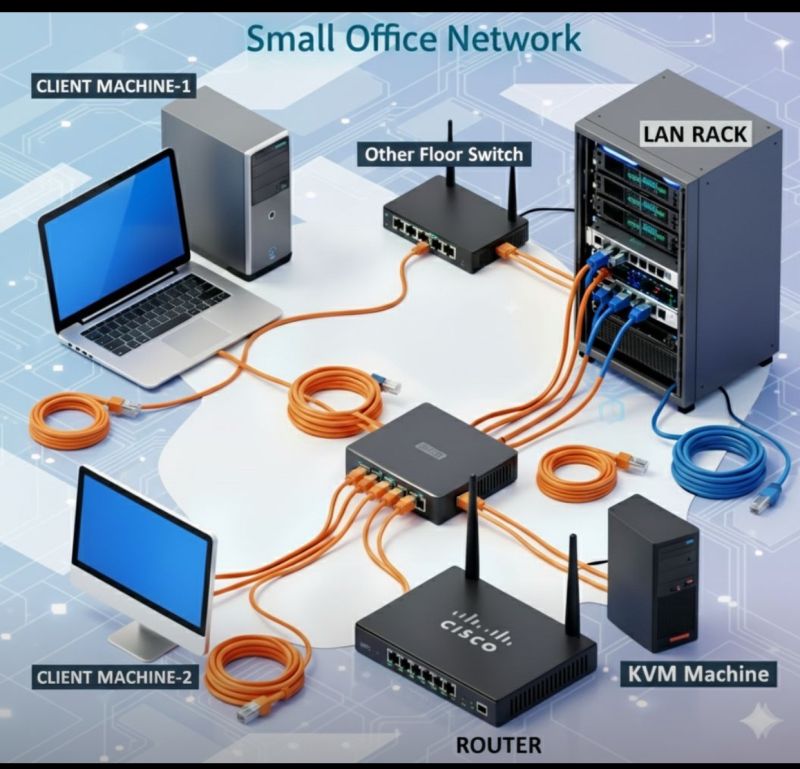
Step 1: Start with Your Internet Connection
Everything begins with your ISP (Internet Service Provider).
You’ll typically get:
- A modem or ISP router
- Internet speed (e.g., 100/20 Mbps)
👉 Tip:
If your ISP device is low quality, consider using it in bridge mode and adding your own router.
Step 2: Choose a Good Router (Core of Your Network)
Your router is the brain of the network.
It handles:
- Internet traffic
- Device connections
- Basic security
👉 For small offices (1–10 users):
- A reliable mid-range router is enough
👉 For larger setups:
- Consider business-grade routers
💡 Avoid very cheap routers — they are the #1 cause of network problems.
Step 3: Use a Network Switch (When You Have Multiple Devices)
If you have:
- Multiple PCs
- Printers
- POS systems
👉 You’ll need a network switch
Why?
- Router = limited ports (usually 4)
- Switch = expands your network
👉 Recommendation:
- Use a Gigabit switch (1 Gbps)
- 8-port or 16-port is enough for most offices
Step 4: Add Access Points for Strong WiFi
WiFi from a single router is often NOT enough.
👉 If your office:
- Has multiple rooms
- Thick walls
- More than 5–6 users
You should use:
👉 Access Points (APs)
Benefits:
- Better coverage
- Stable connection
- Less WiFi dropping
💡 This directly connects to your article:
→ “Why Your Office WiFi Keeps Dropping”
Step 5: Use Wired Connections Where Possible
WiFi is convenient, but cable is king 👑
👉 Always connect with Ethernet:
- Desktop PCs
- Servers
- POS systems
Why?
- Faster
- More stable
- No interference
Step 6: Basic Network Security
Even small offices need basic protection.
👉 Minimum setup:
- Strong WiFi password
- WPA2/WPA3 encryption
- Change default router password
- Regular updates
👉 Bonus:
- Separate Guest WiFi network
- Disable unused ports
How to Secure a Small Office Network (Without Hiring IT)
Step 7: Simple Network Layout (Example)
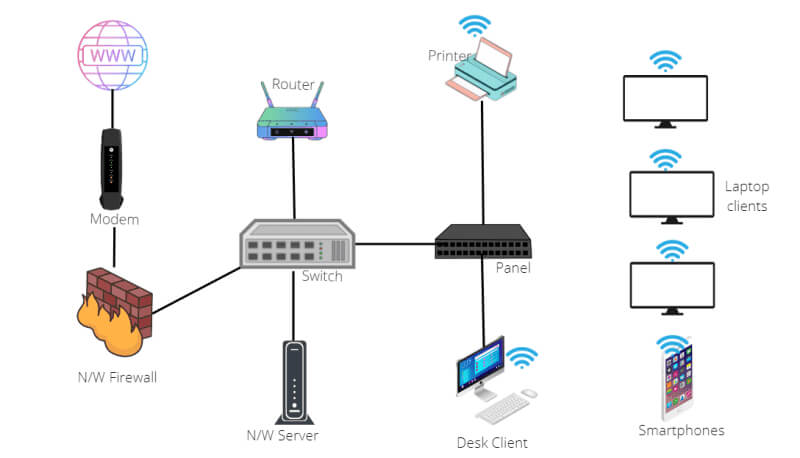
Internet → Router → Switch → Devices
↓
Access Points (WiFi)
👉 This setup is:
- Simple
- Scalable
- Easy to troubleshoot
Common Mistakes to Avoid
❌ Using only ISP router for everything
❌ No access points in larger spaces
❌ Too many devices on WiFi
❌ Cheap networking equipment
❌ No security setup
Final Thoughts
You don’t need an enterprise setup to have a reliable network.
A simple combination of:
- Good router
- Switch
- Access points
…is enough for most small offices.
👉 Build it right once — and you’ll avoid 90% of network problems.
Network Basics for Small Businesses: What You Actually Need (Without Overcomplicating It)